
 Magyar

Ergonomic Accessories, Home Office & Accessories
Guide to Ergonomic Accessories (Mouse, Keyboard, Monitor Arm)
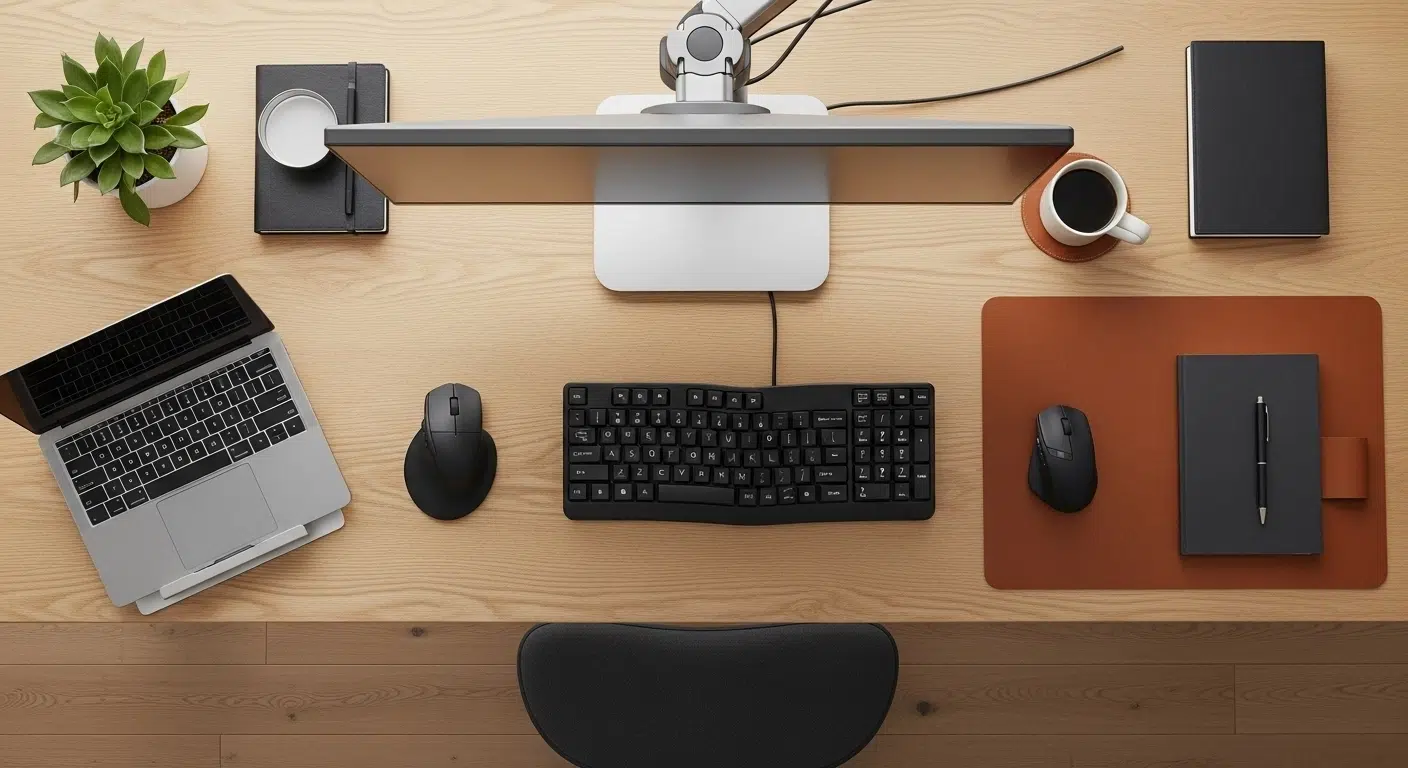
You’ve come this far. You’ve found the perfect chair to support your spine. Maybe you’ve even invested in a height-adjustable desk. But your wrist still hurts and your neck is in spasm. What’s the problem?
As an expert, let me tell you the secret: ergonomics is a chain. The chair and the desk are the strongest links in the chain, but the chain will break where it is weakest. These weak points are almost always the “small” but all the more important accessories.
These are the devices where your body comes into direct contact with the technology. As we wrote in our main ergonomics guide, this is the ‘third principle’ of the system: consistency of detail.
In this article we’ll go through 4 key accessories that will complete your pain-free workstation.
1. Saviour of the Neck: the Monitor Arm (and Stand)
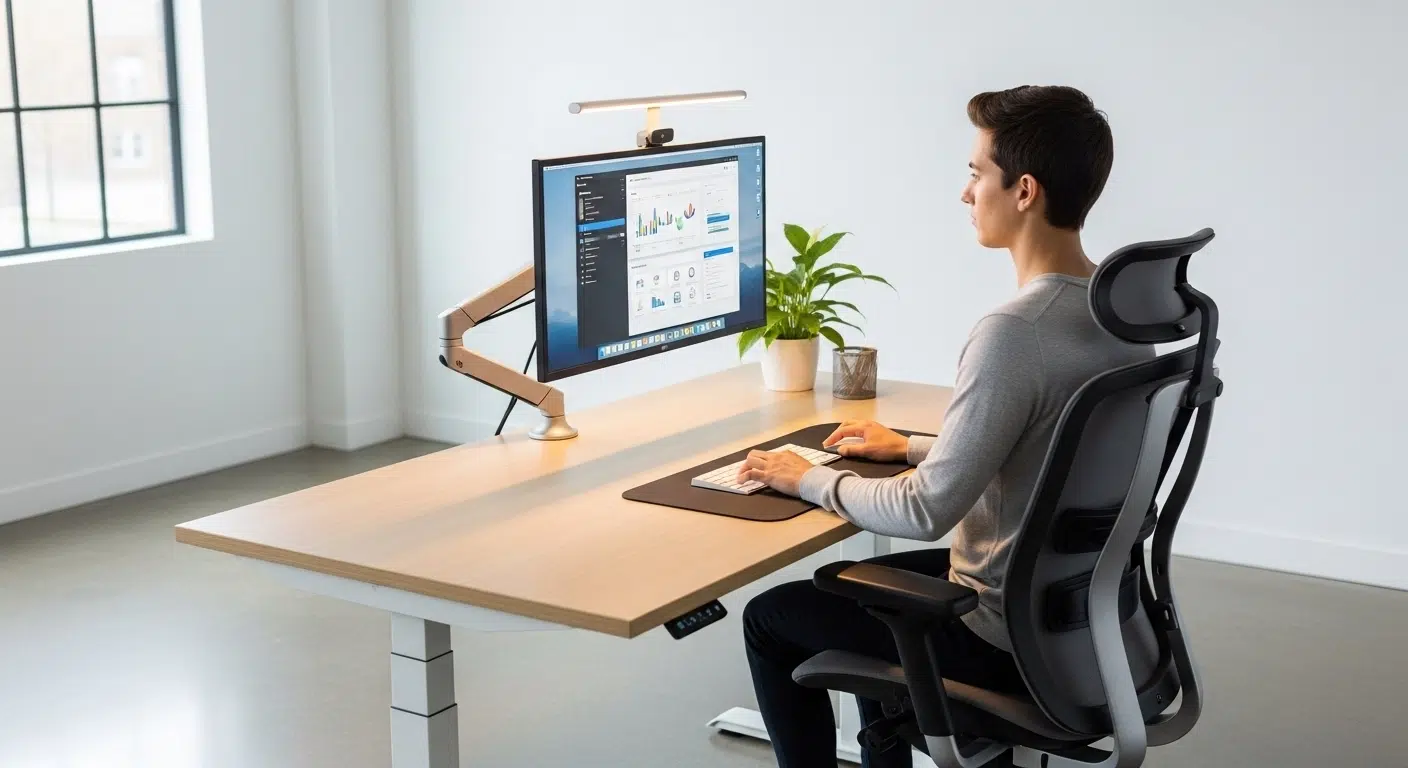
The most common ergonomic sin I see every day is the “laptop neck”. Most people stare straight down at their laptop screen on their desk. This posture leads to guaranteed neck and upper back pain as your head (which weighs about 5kg) is constantly “hanging”.
Rule A: The top of the monitor must be at eye level.
The screen and keyboard of a laptop are built into one, which is an ergonomic disaster: if the screen is in the right place, the keyboard is wrong (too high), if the keyboard is in the right place, the screen is wrong (too low).
The Solution (Three levels):
- 1. Laptop Stand (Basic): If you only work on a laptop, a laptop stand is a must. It raises the screen, but in return you need an external keyboard and mouse!
- 2. Fixed Monitor Stand (Medium): If you’re using an external monitor but it’s too low, a simple fixed stand (or even a few books) can help you adjust the eye level.
- 3. Monitor Arm (The Pro). You mount the monitor on a gas spring or mechanical arm. Advantages:
- It frees up space on your desk.
- You can adjust height, depth and tilt in seconds.
- It is essential for height-adjustable tables, as different heights are required when sitting and standing.
- There is also a double lever version for two monitors.
➡️ Free up your neck (and your desk): check out our monitor arm and stand range!
2. The Wrist Protector: the Ergonomic Mouse
The traditional flat mouse forces your hand to be in an unnatural “palm down” position. This constantly “squeezes” the tendons and muscles in your forearm and puts pressure on the nerves running through your wrist. In the long term, this leads to tendonitis and carpal tunnel syndrome.
The Solution: choose a mouse that holds your hand in a natural, resting position.
The Two Main Types:
- Vertical Mouse: the most popular solution. This mouse rotates your hand at a 50-90 degree angle, as if you were in a “hand-holding” position. This neutral posture immediately takes the strain off your wrists and forearms. It takes a few days to get used to, but the effect is dramatic.
- Trackball: Here you don’t move the mouse, but only the ball with your finger or thumb. Your arm and wrist rest in one place, motionless, the whole time. It is especially recommended for people who are already in severe pain or who do extreme precision work.
3. The Relaxer of Shoulders: the Ergonomic Keyboard
The keyboard causes two problems. Firstly, the traditional straight design means you have to “bend” your wrist outwards to get your fingers on the keys. On the other hand, if it’s wide (it has a numeric pad), your mouse is too far away, causing you to constantly “stretch out”, straining your shoulders.
The Solution: a keyboard that matches the natural contours of your body.
The Two Main Types:
- Split Keyboard: the keyboard is split into two parts (either fixed in a V-shape or fully separable). This allows you to keep your hands in a natural, shoulder-width position and your wrists straight.
- Compact Keyboard (TKL or 75%): this is the simplest solution for shoulder pain. If you don’t need the numeric part on the right side, a keyboard like this can move your mouse 10-15 cm closer to your body. This small difference takes a huge load off your shoulder.
4. The Stable Base: the Footrest
This supplement is the basis of the whole system. If the foot does not touch the ground firmly and with its entire surface, your whole body becomes unstable. Your feet hang in the air, suppressing the circulation in your thighs, and putting extra strain on your waist to stabilize you. You lose all the benefits of your good chair.
When do you need it?
- If you are shorter and your chair (even at the lowest position) is too high.
- If your desk (even at the lowest position) is too high and you need to raise your chair higher.
- If you simply want to take the weight off your feet and keep your ankles active.
A footrest with a good adjustable angle of inclination provides a stable base, maintains a 90-degree knee angle and correct blood circulation.
➡️ Make the basics stable: ergonomic footrests for good posture.
5. The Active Changer: the Job Facilitation Chair
There is a device that bridges the gap between the chair and the standing table. Many people confuse it with a bar stool, but it is not. It is the standing (or leaning) chair.
If you have an adjustable desk but get tired of standing all day, this is the solution. It’s not for “sitting” in, but for leaning half on. This takes the weight off your legs, but keeps your spine straight and your hips open. The perfect tool for dynamic, active work.
➡️ Who is it for and who is it a waste of money for? Read our detailed analysis: What’s it Really Good For? (And Who Is It Not For?)
Summary: Ergonomics is an Ecosystem
Don’t fall for the idea that one product will solve all your problems. Real, pain-free working is born from the perfect harmony of Chair, Table and Accessories, a complete ecosystem.
Do not treat the pain afterwards, but build the system for prevention! Start with the spot that hurts the most – be it your neck or wrist – and take it step by step!
If you’re unsure where to start, read our main guide to the 4 Ergonomic Principles or ask our experts for help!
Frequently Asked Questions (FAQ)
Do I have to buy all the accessories at the same time?
No. Proceed in order of priority. First is always to raise the monitor to eye level (this can be done temporarily with a few books). Second is the accessory that causes you the most pain (e.g. vertical mouse if your wrist hurts).
I work on a laptop. Which is the most important accessory?
Clearly a laptop stand, an external keyboard and an external mouse. This “trinity” transforms the laptop into a real ergonomic workstation.
Does a mouse pad with wrist rest matter?
It does more harm than good. The gel wrist support presses on your wrist right where the nerves run (at the carpal tunnel) and locks it in place while your forearm moves. The solution is not to support the wrist, but to hold the wrist straight with a vertical mouse.
Tetszett a cikk? Ne maradjon le a következőről!
Csatlakozzon az Ergomax közösséghez! Szakértői tippeket küldünk a hátfájás ellen, és elsőként értesítjük az exkluzív akciókról. Kezdje a fájdalommentes munkát még ma!