

 Magyar

Ergonomic Accessories, Home Office & Accessories
Why does your neck hurt before the machine? The Benefits of the Monitor Arm No One Talks About
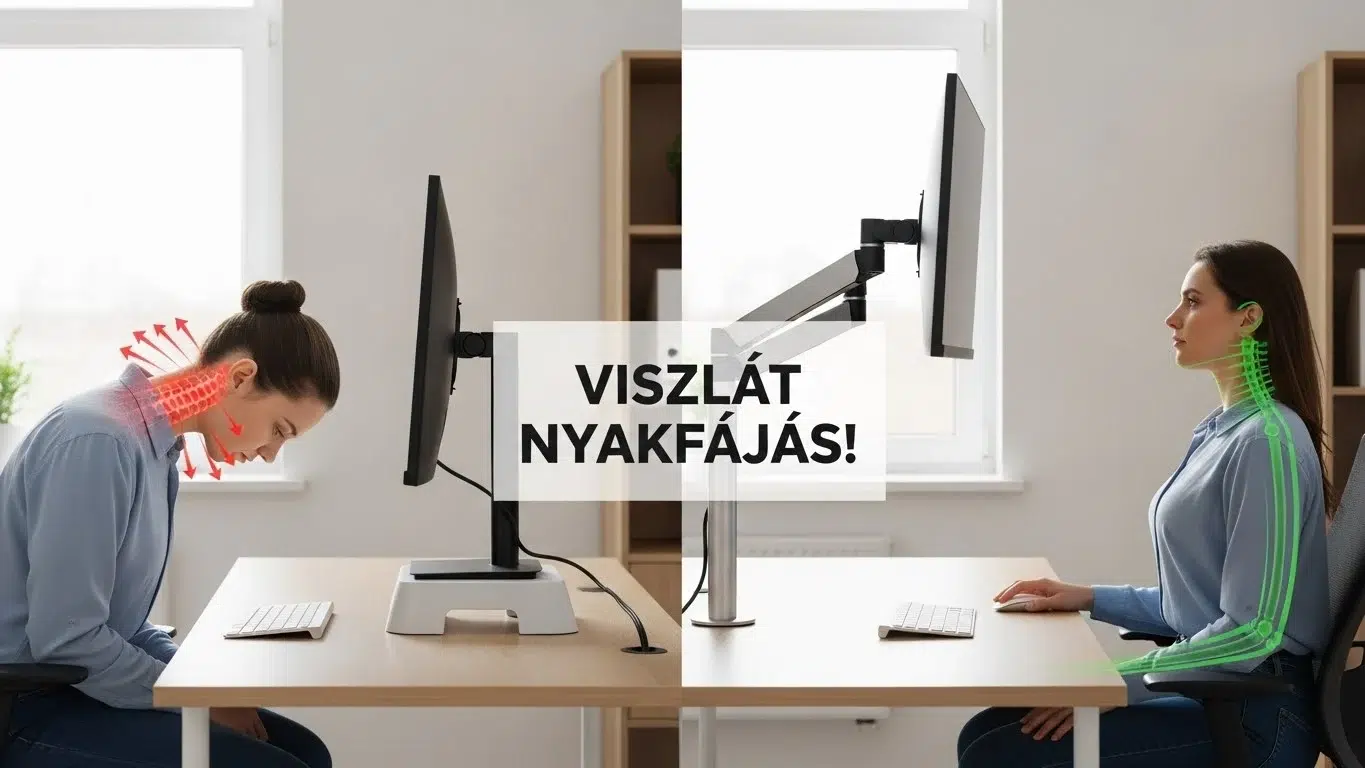
Do you know the feeling around 3 in the afternoon? A dull pressure at the back of your neck, slowly creeping up into your head or down between your shoulders. He massages it, crunches it on the back of his neck, but half an hour later the pain is back.
As an expert, I’ll let you in on a secret: in 90% of cases, it’s not the chair that’s at fault, it’s the monitor. More specifically, it’s the fact that you’re looking down at it.
In this article, we’ll expose the big “sin” of monitor manufacturers (the factory stands) and show you how to solve your neck pain with a simple tool: the monitor arm.
The “Turtle-Neck” Phenomenon (Tech Neck)
The human head is heavy (about 5 kg). When held upright, the spine can easily support this weight. But the moment you tilt your head forward – to look at a low laptop or monitor, for example – the strain on your neck muscles increases dramatically.
The math is scary: already at 15 degrees forward lean (a typical “laptoping” pose), the neck feels like the head weighs 12-13 kg. If you’re doing this for 8 hours a day, it’s no wonder your neck feels like it’s stiff and your head hurts by the evening.
The Solution: the Rule of Height
The iron law of ergonomics says:
“The top 1/3 of the monitor should be exactly at eye level.”
When this is done, your gaze is slightly downward (which is comfortable for the eyes), but your neck remains straight (which is comfortable for the spine). The problem? Most factory monitor stands are fixed and too low for this. That’s where the monitor arm comes in.
Why is a Monitor Arm better than a regular stand?
Many people just pad their monitors with books. It’s better than nothing, but the gas spring monitor arm gives you three advantages that books don’t:
1. Millimetre Accurate Adjustment (For Anyone)
A gas spring lever lets you move the screen with a single finger. If you feel a bit “out of it” in the morning, you can push it up. If it gets a bit “clumpy” in the afternoon, it pulls it down. You can lean back in your chair and pull the monitor forward so you don’t have to squint. This dynamic is key.
2. Free up space on your desk
The factory feet take up a huge amount of valuable table space. The monitor arm, on the other hand, “floats” the screen in the air. Underneath, it frees up space for your keyboard, your notes or your morning coffee. On a smaller desk, this can be a lifesaver.
3. The “Focus” Experience
There’s something professional about having the monitor floating in front of you. And with two monitors, it’s a must: you can use the arms to fit them together seamlessly, so your neck doesn’t ping-pong left and right, but sees a single curved surface.
➡️ Check out our range of premium gas strut monitor arms (single and double versions)!
What to look out for when shopping? (Compatibility)
Before you put it in the basket, check two things:
- VESA Standard: check the back of your monitor. Do you see 4 screw holes in a square? (Usually 75×75 or 100×100 mm apart). If so, your monitor is compatible with the arms. If there are no holes, you will need an adapter.
- Weight of the Monitor: Each arm has a load capacity (e.g. 2-9 kg). It is important that your monitor is not heavier than this (because it will buckle), but not too light (because the spring will snap).
Summary: The cheapest health insurance
A good ergonomic chair is worth hundreds of thousands. An adjustable desk is also an investment. In comparison, a monitor arm costs a fraction of the price, yet drastically improves your comfort.
If you have a sore neck, don’t reach for the painkiller first, but lift the monitor. Your body will thank you for it.
Curious about other tools to help you work pain-free? Read our comprehensive guide to ergonomic accessories!
Frequently Asked Questions (FAQ)
Can it be mounted on any table?
Most levers come with a “clamp” base, which is attached to the edge of the table top. Check that the table top is not too thick or that there is no backing that would prevent it from clamping. Not recommended for glass tops!
Difficult to adjust the gas spring?
No. There is an adjusting screw on the arm. If the monitor “falls in”, you have to tighten the spring (+ direction). If the monitor “pops up”, it must be loosened (- direction). This only needs to be done once.
Two monitors need two separate arms?
Not necessarily. There are dual-arm stands, where two arms extend from a single base. This is a more aesthetic and space-saving solution.

Tetszett a cikk? Ne maradjon le a következőről!
Csatlakozzon az Ergomax közösséghez! Szakértői tippeket küldünk a hátfájás ellen, és elsőként értesítjük az exkluzív akciókról. Kezdje a fájdalommentes munkát még ma!